苹果iOS 27系统小彩蛋:Liquid Glass设置往下滑可召唤“狗牛”




IT之家 9 月 15 日消息,据多位用户投稿及IT之家验证,苹果在 iOS 27/iPadOS 27 操作系统藏了一个小彩蛋。
据悉,该彩蛋可以在以下位置找到:打开“设置”,点击“外观” → “Liquid Glass”,然后一直向下滑动“欢迎来到 Apple Park”示例图片,直到搜索框出现“Moof!”文字并伴随几下震动,松开手指就能看到一只 Clarus。
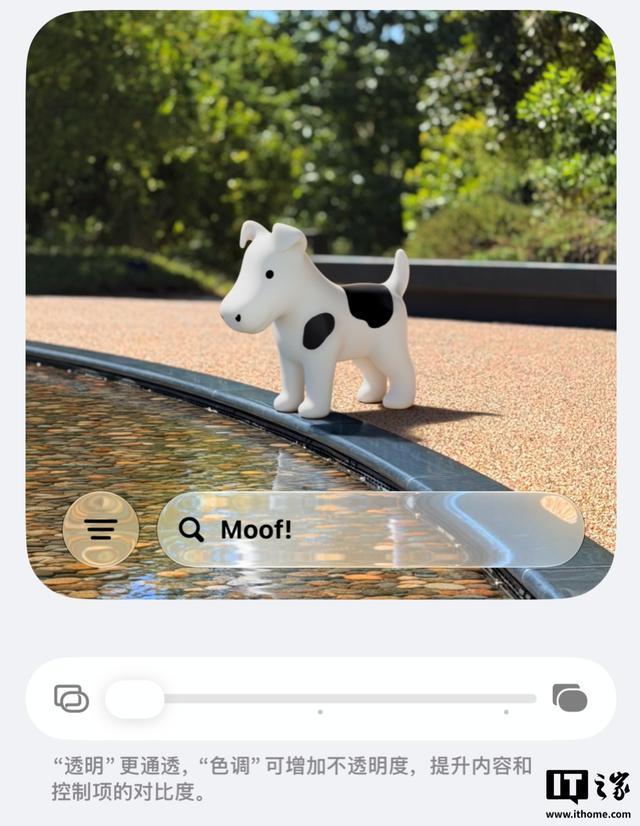
IT之家了解到,Clarus 被许多用户称为“狗牛”(Dogcow)。该形象最初源自 20 世纪 80-90 年代 Mac OS 系统的打印机设置界面,向用户直观展示打印纸张的方向。
该形象之所以称为 Dogcow,是因为它的分辨率过低,以至于无法分辨它是牛还是狗,这个符号超越了起源本身。如果你是 Mac 老用户,可能对此颇有感想。
“特别声明:以上作品内容(包括在内的视频、图片或音频)为凤凰网旗下自媒体平台“大风号”用户上传并发布,本平台仅提供信息存储空间服务。
Notice: The content above (including the videos, pictures and audios if any) is uploaded and posted by the user of Dafeng Hao, which is a social media platform and merely provides information storage space services.”